Plan a plant’s door access around its shifts. Put each shift in its own access group with its own hours. Give contractors only the doors their work needs, and visitors access that ends by itself. Keep restricted rooms on cards or phones all day. Let people open doors without fumbling for a badge where their hands are busy. And make sure every exit still opens from the inside, whatever the access system is doing.
Here’s how we’d work through each of those with a plant manager and the people who run safety and IT.
Start with who’s in the building at each hour
An office empties out in the evening. A plant with a night shift doesn’t. That shift might need the employee entrance, the locker room, the break room and the production floor, and nothing else. Day shift supervisors need more. Maintenance needs the mechanical rooms. The front office needs the office corridor.
We’ll use Verkada as the example, since we’re a Verkada Platinum Partner and install Verkada access control. On Verkada, a person can’t badge into a door unless they’re in an access group with an access level for it, and the access level’s schedule determines when its users can access a door. That fits shift work well. Build a group for each shift, give it the doors that shift actually uses, and set the schedule so it covers the shift with room on either side for changeover.
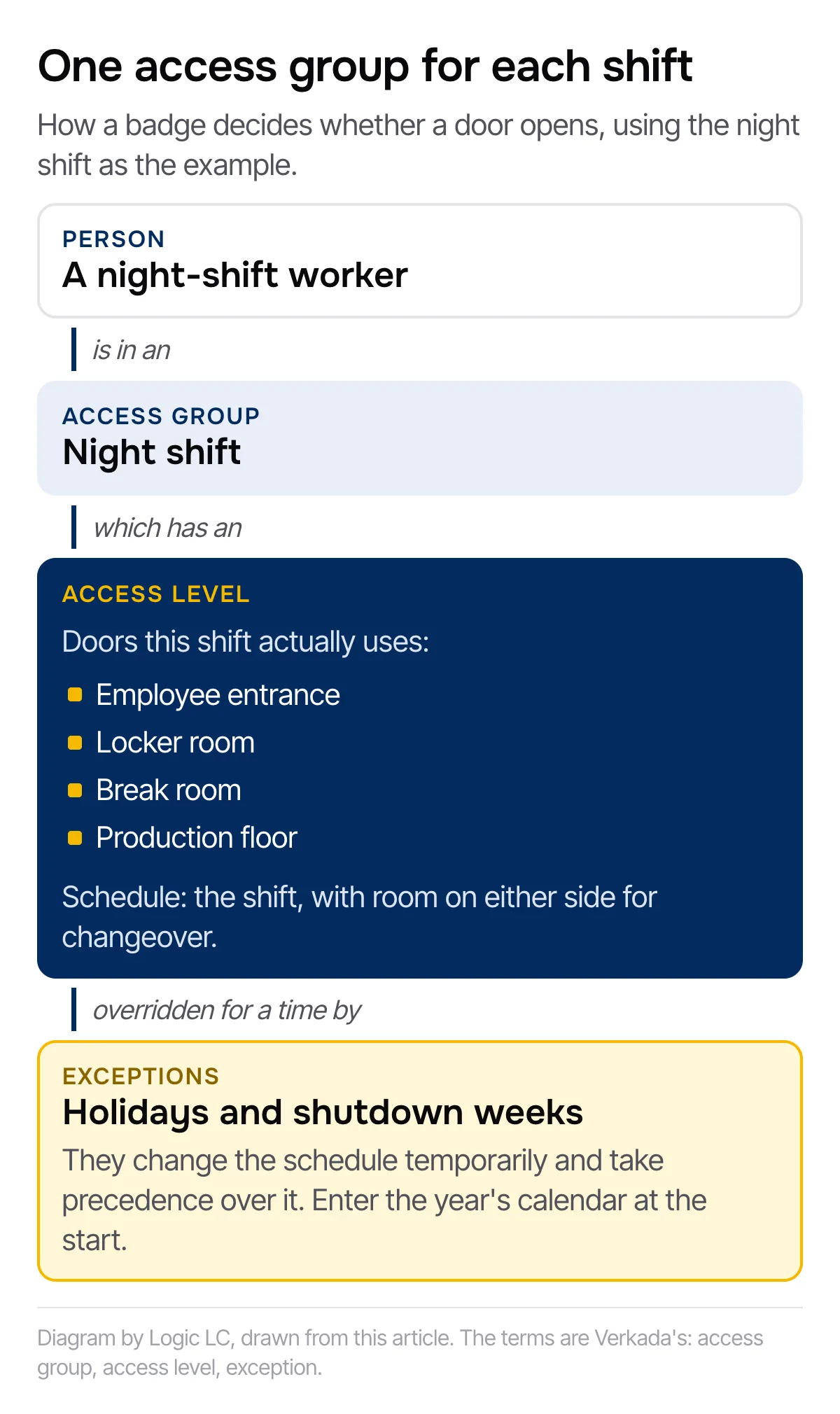
Overtime, shutdown weeks and holidays don’t need a new schedule. Exceptions change the schedule temporarily and take precedence over it, and they’re the tool for holidays and special events. Put the plant’s holiday and shutdown calendar in at the start of the year.
If you haven’t listed your doors yet, our cloud access control planning checklist walks through the inventory door by door. For a plant, add a column for which shifts use each door.
Give contractors and visitors only the access they need
A plant can have people coming through who aren’t on the payroll: equipment service techs, the HVAC contractor, auditors, truck drivers, a crew in for a line changeover. The risk is the badge that was handed out for a job and not taken back.
On Verkada you can handle it like this.
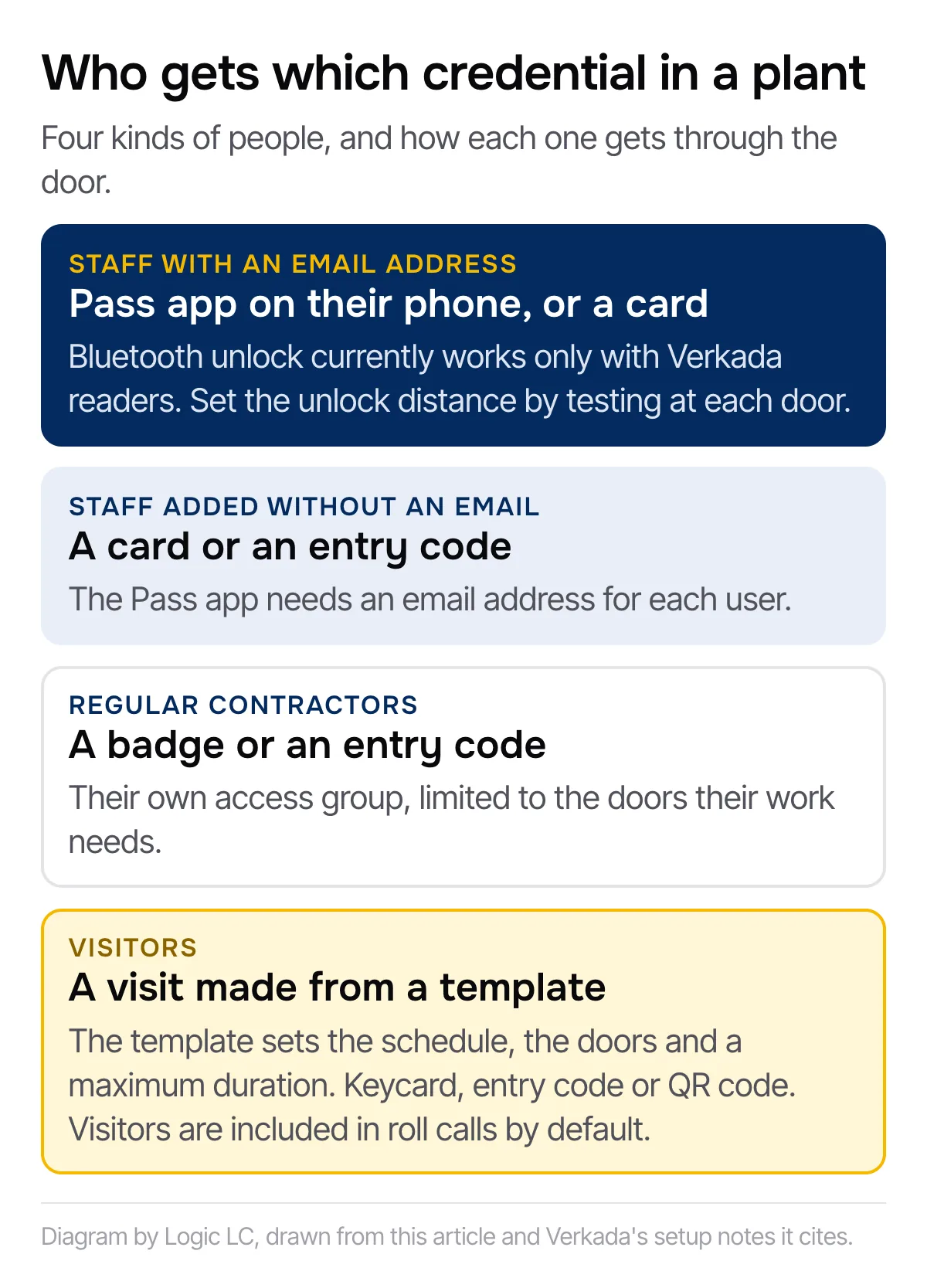
For contractors who come and go regularly, add them as access users in their own group. Verkada’s setup page notes you can leave the email field empty for outside vendors and contractors. Without an email they can’t use Verkada’s Pass app on their phone, so give them a badge or an entry code instead, and limit their group to the doors their work needs.
For people who are only on site for a visit, Verkada’s visitor access works from a template. The template sets the schedule, the doors and a maximum duration, and each visit gets a start and end time. Credentials can include a keycard, an entry code or a QR code, and a visit key can expire shortly after its first use or stay active for the whole visit. Your front desk or shipping office can be given a role that lets them create visits without full admin rights over the system.
There’s a safety reason to set this up properly too: visitors are included in roll calls by default, and roll calls come up again under exits below.
Keep restricted areas locked all day
The production floor isn’t the only place that matters. Our manufacturing page talks about access to entrances, production areas, offices and other restricted spaces. In practice that might be a tool crib, a parts cage, a chemical storage room, a quality lab, the network closet or the room where the plant’s records live.
Those doors stay on card or phone access around the clock, whatever the shift. Only the groups that need them get an access level for them. When someone moves from maintenance to production, you change their group and the doors follow.
A door into a restricted room might get propped open for a cart or for air on a hot day, and then it isn’t restricted any more. With a door position sensor fitted, the system can send door held open and door forced open alerts to the people you choose, on the schedule you choose. Plan the sensors in from the start rather than adding them later.
Let people open doors without reaching for a badge
Our access control systems support mobile and touchless access alongside cards and PINs. On Verkada, Bluetooth unlock lets people open a door from their phone, and each door can be set so the phone has to touch the reader or can work from farther away.
That helps at doors where people’s hands are full. But it comes with conditions worth knowing before you plan around it. Bluetooth unlock is currently only compatible with Verkada readers, so if you keep a reader from another maker at a door, phone unlock by Bluetooth won’t work there. The unlock distance also depends on things like the material the reader is mounted on, so set it on site by testing at each door. And the Pass app needs an email address for each user, so production staff you add without an email address will need a card or a code.
If your people wear gloves on the floor, try the readers with gloves on before you settle on a credential.
Exits have to open from the inside, every time
Access control decides who gets in. It must never stop people getting out. The federal OSHA rule on exit routes says employees must be able to open an exit route door from the inside at all times without keys, tools, or special knowledge, and that exit route doors must be free of any device or alarm that could restrict emergency use of the exit route if the device or alarm fails.
So readers go on the outside of exit doors, and nothing gets in the way of opening them from the inside. This is general information, not legal advice. Your safety lead and your local fire code official confirm what applies to each door in your plant, and we’d rather have that conversation before the hardware goes on.
The access system can help in an evacuation, too. Verkada’s roll call reports list the users and visitors currently on site, built from the entrance doors and from readers at exits or muster points that mark people as safe. If you want to use it that way, decide where the muster point readers go while you’re planning the doors.
Point cameras at the doors that matter
Cameras earn their keep at the employee entrance, the shipping and receiving doors and the doors into restricted rooms. With video integration, an access event comes with visual context, so finding who opened the parts cage on the night shift means checking a door event, not scrolling through recordings. Because the cameras are cloud-managed, authorized users can see live and recorded footage remotely, and the system offers people and vehicle detection, worth considering for the yard and the docks.
Installing in a plant that doesn’t stop
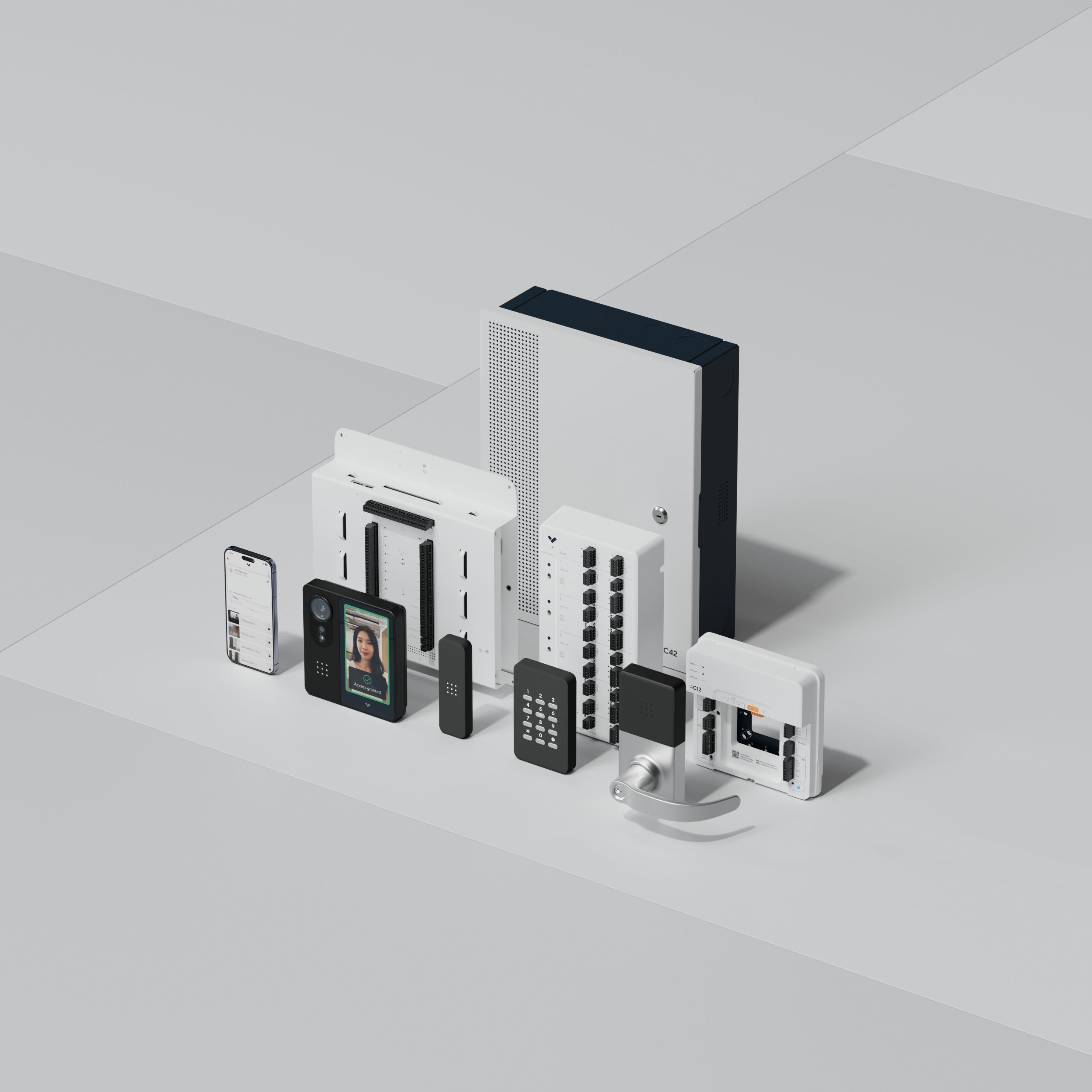
You may not have to replace your doors. Verkada Access Controllers are designed to work with existing door hardware and readers, and we can evaluate existing technology and work alongside current systems where appropriate. What stays and what changes comes out of an on-site technology assessment, where we photograph and measure the doors, cable paths and equipment and turn that into a scope of work.
For a running plant, tell us your safety and check-in rules before we arrive, and which areas we can work in when. Evening, overnight and weekend installations may be available to limit disruption. If you run plants in other states, we support manufacturers with facilities across multiple locations, and the doors, users and schedules at every site can be managed from the same cloud platform.
Book an on-site assessment and get a scope of work built around your shifts, your contractors and your exits. Start on our page for access control for manufacturing facilities.