A municipal building works best when it’s split into a public side and a staff side, and every door is told what to do at every hour. The lobby, the counter and the meeting room are open when the building is open. Offices, records rooms and the network closet stay on card access all day. Cameras go where those sides meet. Evening meetings get their own schedule, so opening the meeting room doesn’t open the whole building.
That’s the short version. Here’s how we’d work through it with a town hall, a borough office or a township building.
Find the door that separates the public from the staff
Walk the building the way a resident would. They come in the front door, wait in the lobby, go to a counter, maybe use a restroom or sit in on a meeting. Everything on that route is the public side.
Now find every door that leads off it: the door behind the counter, the corridor to the offices, the stairwell, the side entrance staff use. Those are the doors that matter. During open hours the front door can be unlocked, but these stay locked and open only for a card, a PIN or a phone, the credentials our access control systems support.
If you’ve never made a door list, our cloud access control planning checklist walks through it door by door. For a public building, add a note beside each door saying which side it’s on.
Give people the doors their job needs
Access gets assigned by group, and the group decides the doors and the hours. On Verkada, whose access controllers our access control page names, a person can’t badge into a door unless they’re in an access group with an access level for it. So the clerk’s office gets the counter door and the office corridor. Public works gets the garage. The IT contractor gets the network closet. Nobody gets everything because it was quicker to set up.
When someone changes roles or leaves, you change their group or remove them, and the building updates with it.
Let the schedule unlock the front door
Nobody should be unlocking the front door by hand at opening time, or remembering to lock it at closing. Door schedules set the regular state of each door for every day of the week, and doors can share a schedule.
Holidays and closures go in as exceptions, which change part of the schedule for a specific date and take precedence over it for the whole day. Put the holiday calendar in at the start of the year and the doors follow it.
Weather closings are trickier, because nobody knows about them in advance. Verkada has a setting for that called First Person In: the front door stays on card access until a supervisor badges in, and only then moves to its open-hours state. If no supervisor arrives, it stays on card access.
Handle evening meetings without opening the building
If your public meetings run after the offices close, that’s the moment a building can end up with the front door unlocked and every corridor behind it open too.
The fix is to schedule the route, not the building. Set an exception for the meeting date that unlocks the front door and the meeting room door for the meeting window. The door behind the counter and the office corridor stay on cards. If the meeting room has another door into staff areas, that door stays locked as well.
For deliveries or visitors outside open hours, an intercom at the after-hours entrance lets someone inside talk to the person at the door before unlocking it. We install intercom systems alongside access control, so the intercom and the door it releases can be planned at the same time.
Put cameras where the public and staff sides meet
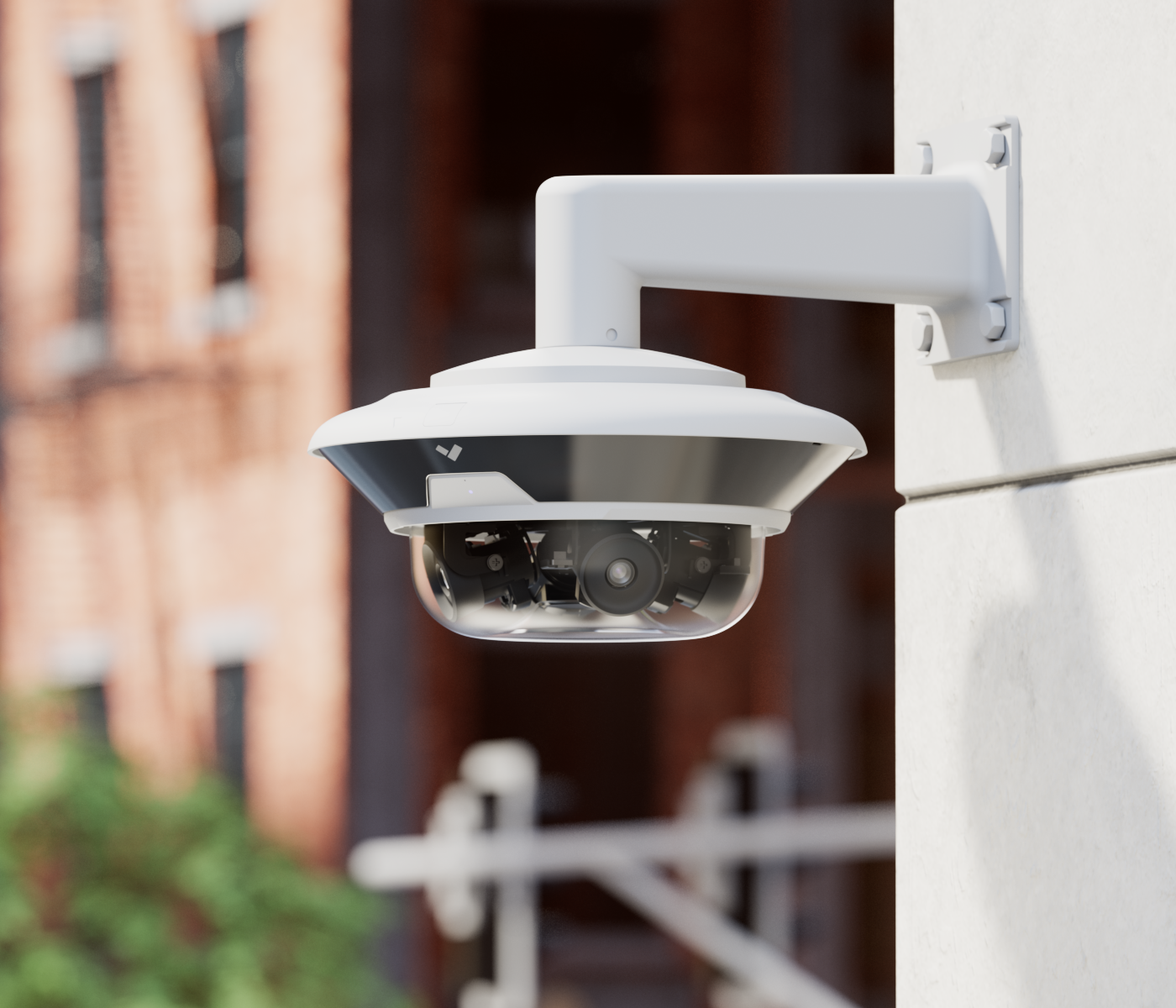
Put the cameras at the points where people cross from the public side to the staff side: the front entrance, the counter, the doors into staff areas and the after-hours entrance.
Linking the cameras to the doors is what makes the footage useful. With video integration, a door event comes with video from the camera covering that door, so you’re not scrolling through a day of recordings to find out who opened the records room after hours. And because the system is cloud-managed, authorized staff can view live and recorded footage remotely, which helps when the person responsible works out of another building.
Doors get propped open, too. A side door wedged open for a delivery turns the staff side into the public side. With a door position sensor fitted, the system can send an alert when a door is held open or forced open, to the people you choose, on the schedule you choose.
Remember the accessibility rules cover security hardware
This is the part that’s easy to miss. Under Title II of the ADA, all state and local governments must follow the ADA regardless of their size, and the offices where people pay taxes or attend town meetings are named as examples.
The 2010 ADA Standards apply to new and altered state and local government facilities, and their advisory notes list security and intercom systems among the controls covered by the operable-parts rules. Those rules say operable parts shall not require tight grasping, pinching or twisting of the wrist, and door locks and hardware follow the same rule.
Intercoms have their own section. Where an intercom or similar talk-back system is how people get into a building or a restricted area, it has to provide both audible and visual signals, and the advisory names office buildings and courthouses as examples. It also notes that devices without handsets are easier for people with limited reach.
So reader height, the intercom you pick and the hardware on the door are accessibility decisions as well as security ones. Your architect or code official confirms exactly what applies to your building and your project. We’d rather have that conversation at the planning stage than after the readers are on the wall.
When the town has other buildings too
If you run a town hall, a public works yard and a library or community center, they can share a system. With cloud management, doors, users and schedules across locations are managed from the same platform, and Verkada lets you clone an access level to another site as a starting point, then add that site’s doors. Our government page covers support for multiple government locations.
Will you have to replace your doors?
Not necessarily. Verkada Access Controllers are designed to work with existing door hardware and readers, so the doors you have may stay. What stays and what changes comes out of an on-site technology assessment, where we photograph and measure the doors, cable paths and equipment and turn that into a scope of work. Because we handle cameras, access control, intercoms, cabling and Wi-Fi, the camera at the counter and the reader on the door behind it are planned by the same team.
Book an assessment of your building and get a scope of work for the public side, the staff side and after hours. Start on our page for government security cameras and access control.